One link for everything you share.
Put your shop, booking page, latest video and socials on one page at bik.to/@yourname. See which links people click, and print its QR code anywhere.
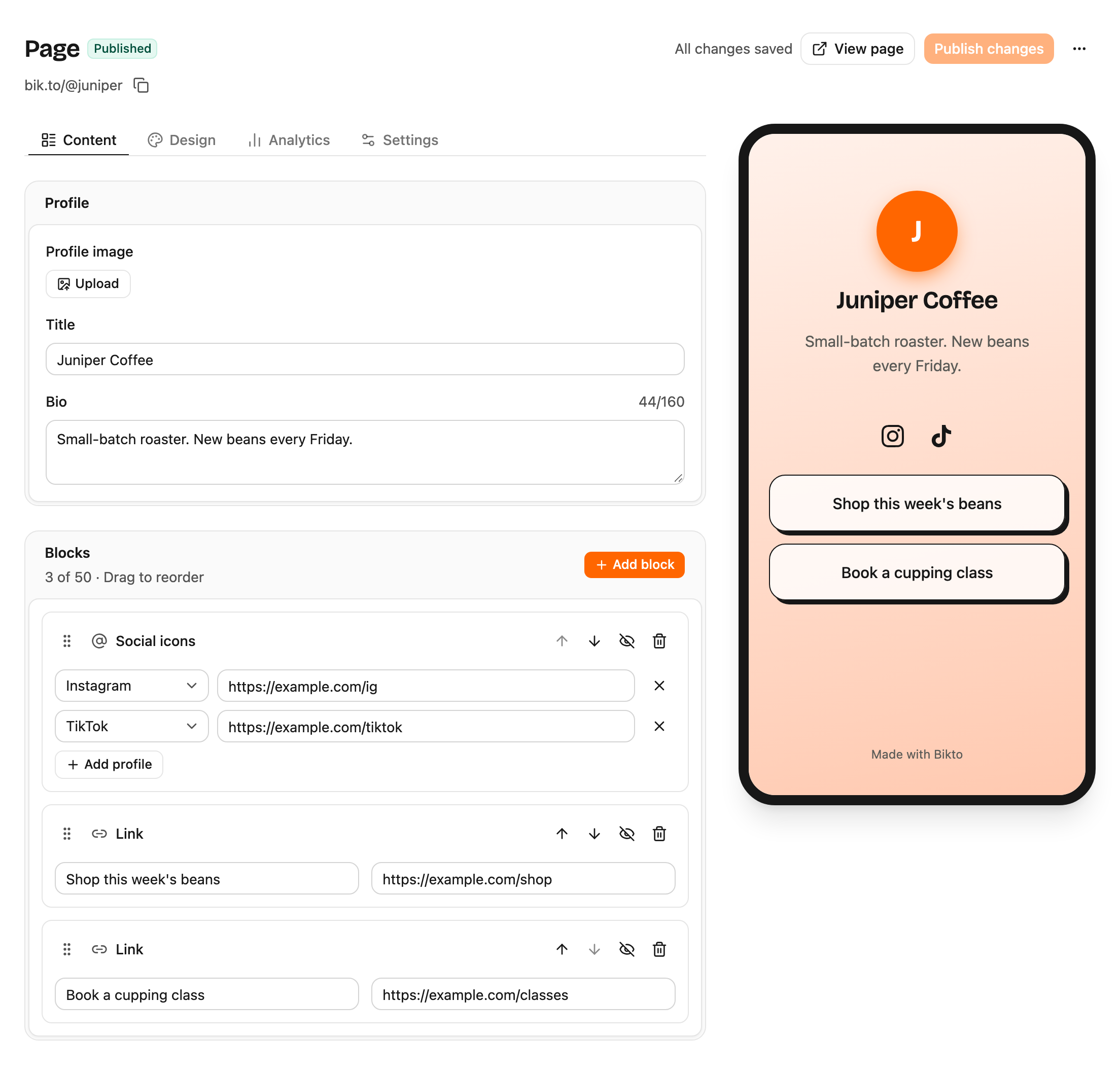
Juniper Coffee
Small-batch roaster. New beans every Friday.
Edit with a live preview.
Add blocks, drag them into order and switch templates. The preview beside the editor is the page your visitors get.
A page that works as hard as your links.
Four templates
Minimal, Brand, Cards and Dark, with your accent color. What you see in the editor is what visitors see.
Buttons and social icons
Links, headings, text and icons for Instagram, TikTok, YouTube and more, in any order.
Click stats
Views, clicks per button, click rate, countries, devices and referrers for your page.
A QR code for your page
Download a styled PNG or SVG for menus, packaging and posters.
Draft, then publish
Visitors never see a half-finished page, and every link is checked for known unsafe sites before it goes live.
Your look
Backgrounds, button styles and fonts on the Plus plan.
How to make your page.
- 1
Claim your address
Choose the name for bik.to/@yourname.
- 2
Add links and pick a template
Drag blocks into order and see the result as you type.
- 3
Publish and share
Put the link in your bio or print the page's QR code.
Questions, answered.
Something else? support@bikto.app